Within the AKK product line, the A6 and A4 represent two points on the capability spectrum that buyers frequently weigh against each other. Both are analyzer platforms built around barcode-marked cards, but they differ in processing headroom, scanner integration, and the operational depth they expose. This comparison is technical rather than promotional: it maps the features that affect real deployment so a procurement decision can rest on function, not on model-number intuition. Where the A6 sits above the A1 in other comparisons, here the focus is squarely on A6 against A4.
Positioning of the Two Models
The A4 is typically positioned as a compact, approachable analyzer for operators who need core scanning and evaluation without an extensive configuration surface. The A6 is positioned higher, with more processing headroom and broader support for accessories and game codes. The practical question is whether the A6’s additional capability translates into field advantage for the buyer’s specific workflow, or whether the A4 already covers it.
Positioning alone does not decide the purchase. The decisive factors are decode speed under load, scanner flexibility, and the management features that matter across a deployment.
Core Processing and Decode Speed
The A6 generally carries a more capable application processor, which shows up as faster barcode decoding and quicker hand evaluation, especially when multiple cards arrive in quick succession. The A4 is competent at steady pacing but can show more latency during rapid dealing. For variants with many community cards or fast action, the A6’s headroom keeps cue delivery inside the play window.
Decode speed is not only about the chip. Firmware optimization, the barcode format in use, and the scanner’s image quality all contribute. Still, at the silicon level the A6’s margin is real and measurable, and buyers running fast formats should validate it with a timed decode test rather than trust a spec claim.
Scanner Integration
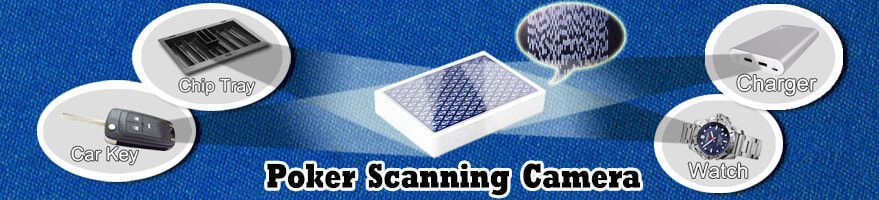
Both models work with barcode-marked cards, but their scanner integration differs. The A4 commonly pairs with a discrete external camera or a simple integrated pickup, sufficient for fixed, well-lit setups. The A6 tends to support a wider range of scanner inputs, including higher-resolution modules and more flexible mounting, which helps in variable lighting or awkward angles.
This difference matters when the deployment is not a single ideal table. If the operator must scan from changing positions or under mixed lighting, the A6’s broader scanner support reduces the need for workarounds. For a fixed, controlled table, the A4’s simpler integration is often enough.
Supported Game Coverage
Game-code coverage is where model tiers diverge most. The A4 supports the common variants and a curated set of codes, adequate for standard play. The A6 supports a deeper code library and is more likely to receive new variant codes through updates. Operators who play only one or two variants will not feel the gap; operators who rotate through many formats will.
The relevant question is not the total number of codes but which specific variants the buyer needs. Confirming the required codes are present on the chosen model prevents a mismatch where the hardware is fine but the logic for a needed game is absent.
Form Factor and Host Options
The A4 emphasizes a smaller, lighter host footprint, which aids concealment and reduces operator load over long sessions. The A6, with more internal hardware, may be slightly larger or rely on a host device such as a phone for display and control. The trade is capability against discreetness and weight.
For body-worn or long-session use, the A4’s lighter envelope is an advantage. For desk or phone-host use where size is less critical, the A6’s extra hardware is easier to accommodate. Form factor should be matched to how and where the operator actually carries the system.
Wireless Link and Earpiece Support
Both deliver results to a hidden earpiece, but the A6 usually supports a broader set of link options and newer low-latency profiles. The A4 covers standard earpiece links adequately. If the deployment requires a specific covert earpiece type or a particularly low-latency path, the A6 is the safer bet; if a standard earpiece suffices, the A4 matches it.
Link stability under interference also tends to favor the higher model, which may implement better channel management. In quiet environments this is invisible; in crowded venues it can decide whether cues arrive on time.
Battery and Power
Power architecture is similar in principle, with both using rechargeable cells, but the A6’s stronger processor and richer radio support draw more under load. The A4’s leaner hardware can last longer per charge in light use. The difference is not large at idle but grows with heavy scanning and transmission.
For short sessions either is fine. For all-day operation the A4’s efficiency helps, while the A6 may need a spare cell or external capacity. As always, measure real drain under the intended workflow rather than compare idle specs.
Calibration and User Interface
The A4 presents a streamlined calibration flow aimed at quick setup with minimal options. The A6 exposes more tuning, including finer exposure, position, and profile management. The streamlined flow is faster for beginners; the deeper flow rewards operators who need to adapt to difficult conditions.
Neither interface is universally better. An operator who values speed and simplicity prefers the A4; one who must squeeze performance from hard scans prefers the A6. Training burden scales with interface depth, so the choice also affects how long it takes new operators to become reliable.
Marked Card Compatibility
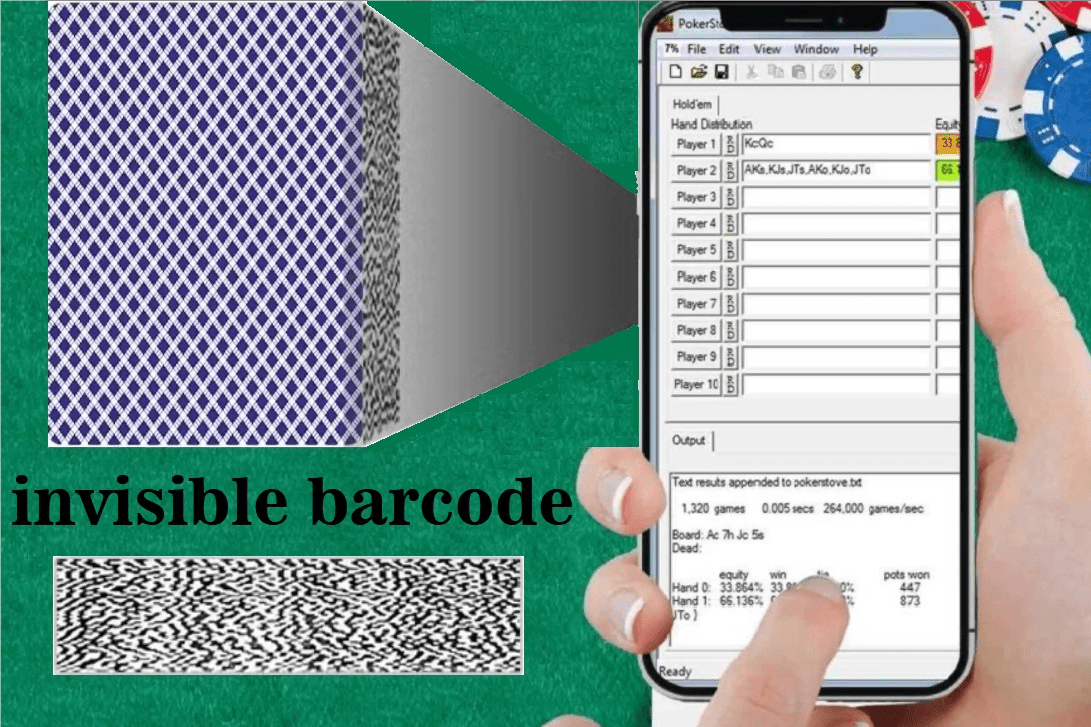
Both accept standard barcode-marked card formats, but the A6’s decoder typically tolerates a wider range of print quality and edge wear, decoding smudged or nicked barcodes that the A4 might reject. In controlled decks this is moot; in environments with variable card condition it prevents missed reads.
Confirming the exact barcode formats supported by each model is essential, because compatibility is defined by the decoder, not the model name. A format supported on one may be absent on the other, and that single fact can govern the purchase.
Software Update Path
Update support tends to be stronger on the higher model. The A6 is more likely to receive new game codes, decoding improvements, and security fixes on a regular cadence. The A4 receives maintenance but may lag or omit advanced additions. For buyers who expect the system to track new variants over time, update longevity is a real differentiator.
The buyer should ask the vendor’s support window for each model. A model near the end of its update life may be cheaper today but cost more in obsolescence tomorrow.
Use Case Fit
Summarizing the fit: choose the A4 for fixed, well-lit, single-variant, short-session use where light weight and simple setup dominate. Choose the A6 for variable conditions, many variants, fast action, or long sessions where processing headroom, scanner flexibility, and broader update support justify the larger footprint and higher draw.
The wrong choice is buying A6 capability the workflow never uses, or buying A4 simplicity that the workflow soon outgrows. Mapping the actual play pattern to the feature list is the whole decision.
Field Reliability and Failure Modes
Reliability under real conditions often separates the models more than a feature list. The A4’s simpler design has fewer subsystems to fail, which can mean fewer field faults for straightforward deployments. The A6’s richer hardware offers more recovery paths, such as switching scanner inputs or link modes when one path degrades, which helps in difficult environments even if there is more to maintain.
Operators should look at how each model behaves on a degraded input: a weak signal, a smudged card, or a low battery. A model that degrades gracefully, delivering late but usable cues, is preferable to one that fails hard. This behavior is best learned from a stress test, not a brochure.
Scaling Across a Team
For single operators the choice is personal, but for organizations fielding several units the decision has a standardization dimension. Standardizing on one model simplifies training, spare parts, and update management. Mixing A4 and A6 units means two training tracks and two support profiles.
If the team’s workflow is uniform and simple, standardizing on the A4 reduces overhead. If some operators face hard conditions that others do not, a mixed fleet may be justified, provided the training and support cost of the split is accepted. Scale turns a device choice into a logistics choice.
FAQ
Is the A6 strictly better than the A4?
In raw capability, generally yes, but strictly better only if the extra capability is used. For fixed, simple, short sessions the A4 covers the need at lower weight and draw. Pay for the A6 only where its headroom and flexibility are exercised Pokercheat8.
Which model decodes faster?
The A6, due to a stronger processor and often better firmware optimization, especially under rapid dealing. Validate with a timed decode test using your actual barcode format and pacing.
Do both support the same marked card formats?
They support the common barcode formats, but the A6’s decoder usually tolerates more print variation and may support additional formats. Confirm the specific formats you use are decoded by the chosen model.
Which lasts longer on a charge?
In light use the A4’s leaner hardware tends to last longer. Under heavy scanning and transmission the gap narrows or reverses in effort, but the A4’s efficiency remains an advantage for low-intensity sessions.
Which is easier to learn?
The A4, with its streamlined calibration and fewer options, is faster for new operators. The A6’s deeper interface offers more control but requires more training to use well.
How should I choose between them?
Match the model to your real workflow: table stability, lighting, variant count, action speed, and session length. Buy the minimum model that covers those, and only step up to the A6 when a specific feature, speed, format, or update need justifies it.